
Book any space you mark as bookable
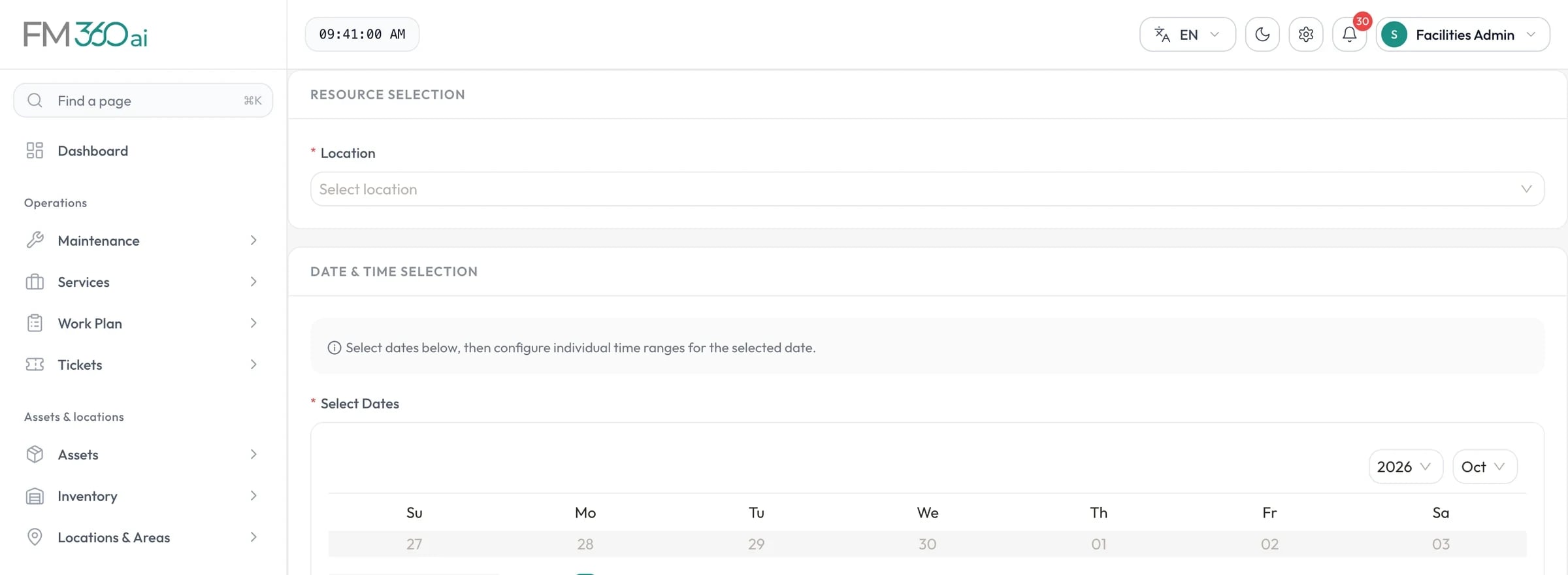
Flag areas in your location tree as available for booking. Staff choose a space, one or more dates with time ranges, an event title and any special requirements, from the web console or the app.
Bookings and after-hours access
FM360AI lets staff book the spaces you make bookable and request access outside working hours. Each request follows an approval chain, and facilities can turn a booking straight into the tickets needed to prepare for it.
Swipe the screenshot to see all of it.
The problem
Room bookings kept in a shared calendar say nothing to the team that has to set the room up, and after-hours access agreed by phone leaves security guessing who is allowed in.
What FM360AI does
Flag areas in your location tree as available for booking. Staff choose a space, one or more dates with time ranges, an event title and any special requirements, from the web console or the app.
As dates and times are chosen, FM360AI checks them against existing bookings and shows what they clash with.
Bookings follow an approval workflow. Approvers act in the console or from a link in an email, and the requester sees the timeline.
An approved booking can be turned into a ticket or a work plan, so that setup, cleaning and equipment are assigned and tracked like any other job. A calendar shows all bookings by status.
A member of staff requests access to a location for a date and time slot, with a purpose. Their manager approves, the HSE team assigns security, and the request is marked complete once access has been given.
Once security has been assigned, the requester's app shows an entry QR code. The guard scans it in the field staff app to confirm the visit and complete the request.
How it works
A member of staff picks the location, date and slot and states the purpose.
Their manager approves or rejects in the app or from an email link.
The HSE team assigns the request to security staff.
The requester's app displays an entry QR code for that visit.
The guard scans the code and the request is recorded as completed.
The scope and limits of this part of the product, so there are no surprises later.
Any area in your location tree that you flag as available for resource booking: halls, meeting rooms, sports facilities, laboratories or whatever you choose.
When someone selects dates and times, the form checks them against existing bookings for that space and lists any clashes before the request is submitted.
First the requester's manager, then the HSE team, who assign the request to security staff. Each step can be done in the app, and manager approval can also be done from an emailed link.
When a request has been assigned to security, the requester's app shows a QR code for it. The guard scans the code with the field staff app, which marks the request completed and records that it was verified by scan.

Tell us how requests reach your team today and what you maintain. We will walk you through the product on a call, using the workflows that matter to you.