Buying for a repair should not leave the system that tracks the repair
FM360AI carries a purchase from the first request through quotations, approval, purchase order, delivery and invoice, with every document linked to the ticket or work plan that needed it.
Screens are from an FM360AI demo environment. Names and contact details have been replaced.
The problem
The job is tracked. The spending behind it is in someone's email
Maintenance and purchasing usually run in different tools, so the cost of a job, the status of the part it is waiting for and the reason a vendor was chosen are all somewhere else.
Quotations arrive as PDFs and are retyped to compare them.
Approvals happen in email threads with no record of who agreed to what.
Nobody can tie an invoice back to the job that caused it.
What FM360AI does
Procurement and vendors, in detail
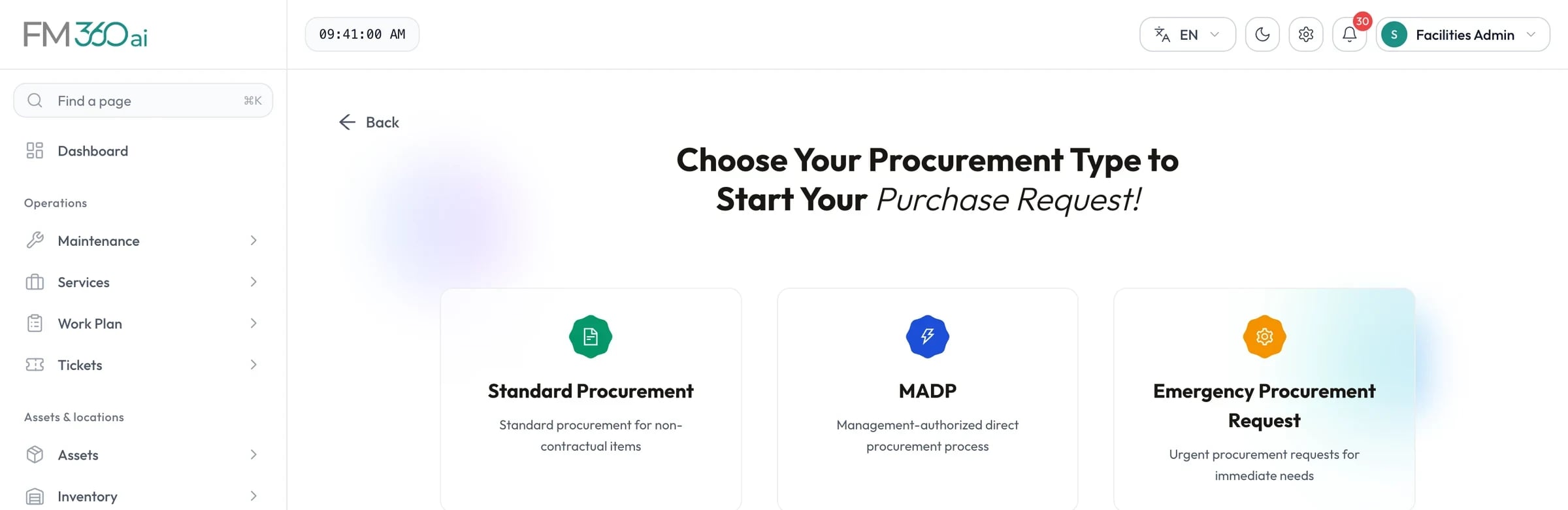
One chain of documents
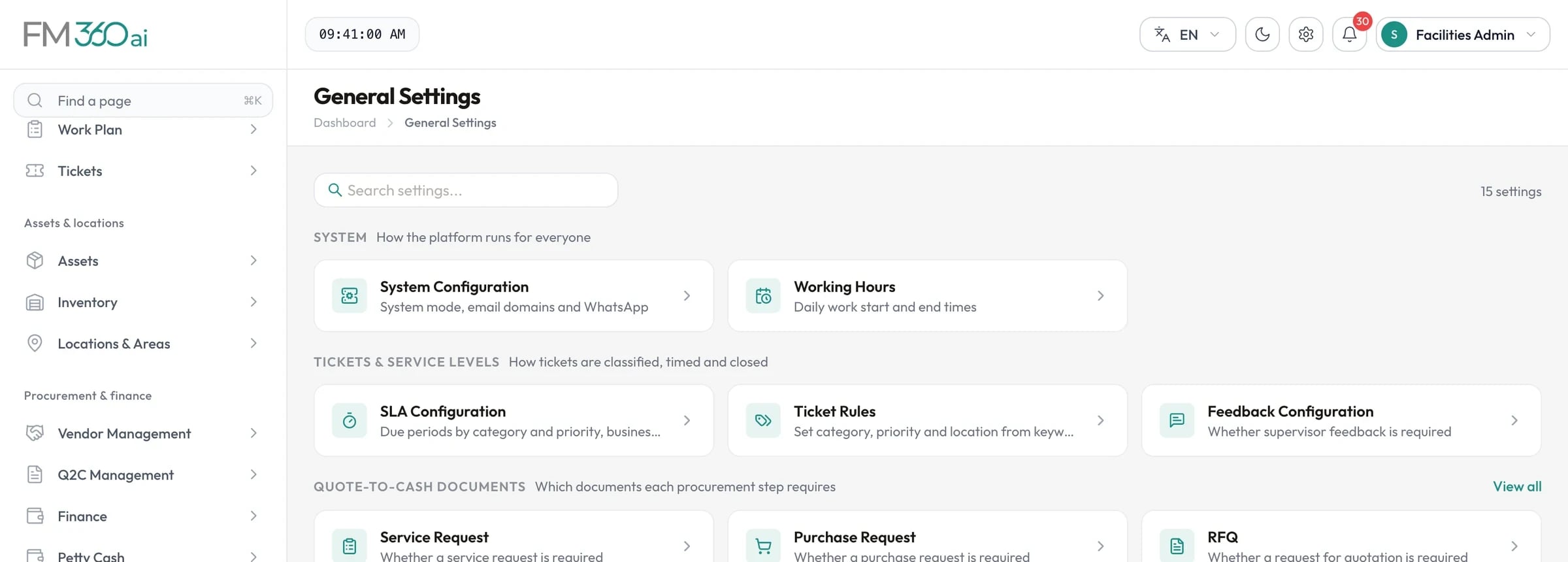
Purchase request or service request, RFQ, quotation, contract, purchase order, proforma invoice, receival log, payment request and invoice. Each links to the one before it, and you decide in settings which of them your organisation requires.
Swipe the screenshot to see all of it.
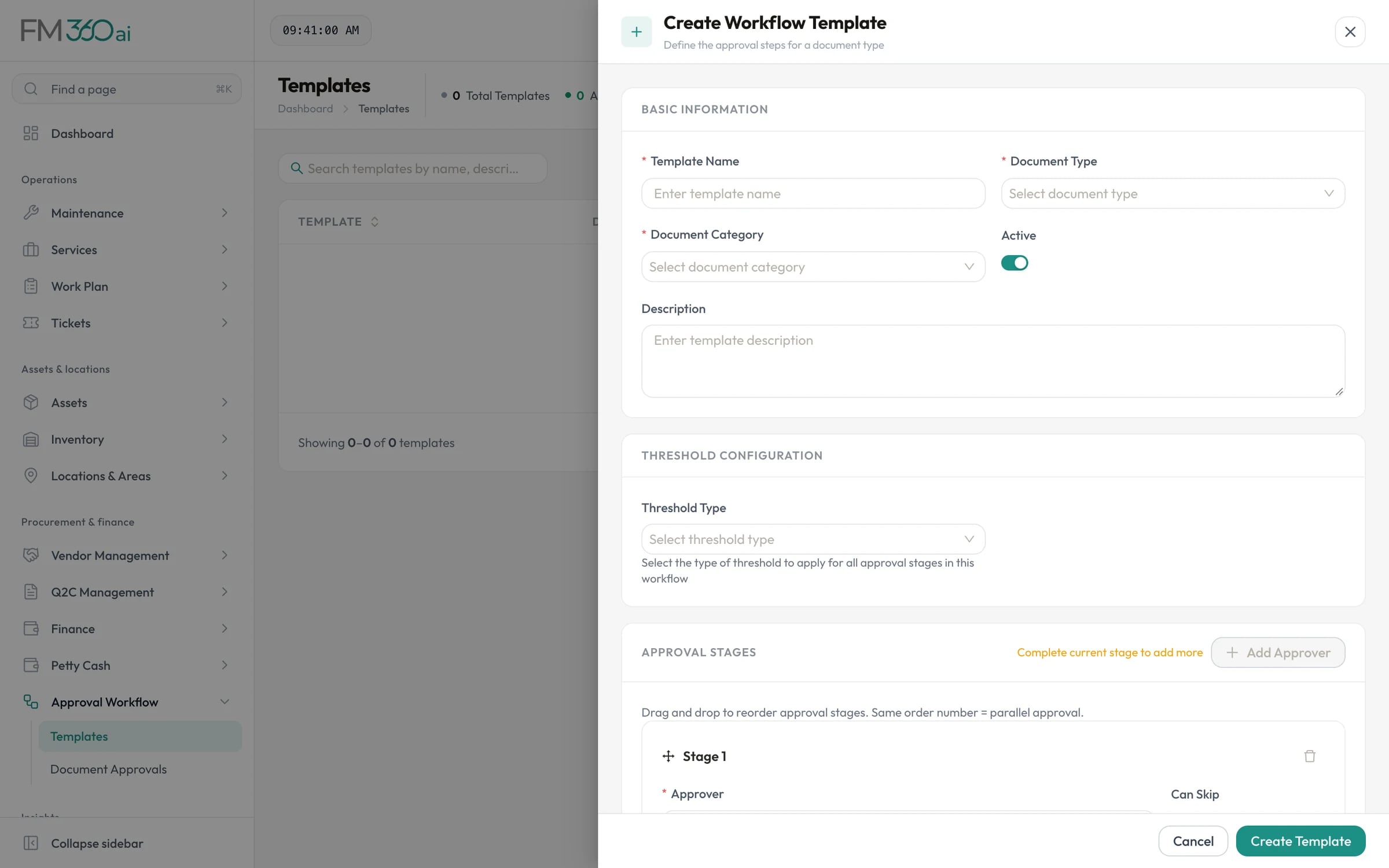
Approval workflows with thresholds
Build an approval template per document type with ordered approvers. Stages can apply only above an amount or a budget utilisation percentage. Approvers act in the console, on the mobile app or from an emailed link, and can send a document back for correction.
Swipe the screenshot to see all of it.
RFQs vendors can answer without logging in
Send a request for quotation to several vendors by email, by WhatsApp or as a link you copy. Vendors open a secure link and submit their quotation directly; you see who has viewed and who has responded.
AI reads the paperwork
Upload a quotation, purchase order, proforma or invoice as a PDF, image, Excel or Word file and FM360AI fills in the vendor, date, line items, quantities, prices and totals, matching lines to your inventory items where it can. Arabic and English documents are both read.
Dictate line items by voice on purchase and service requests
Describe payment terms in plain language and get a structured schedule
Review and correct everything before it is saved
Quotation comparison with a recommendation
When several vendors have quoted, FM360AI scores them on price, vendor rating, warranty and payment terms, and an AI analysis recommends a vendor with reasons for and against. It can also show the cheapest vendor per line item and what a split order would save.
Goods received, checked and counted
The receival log records ordered, received, accepted, damaged and rejected quantities with a quality note. Accepted items are added to inventory and the purchase order's delivery status is updated.
How it works
A purchase, start to finish
Step 1
Request
A purchase or service request is raised, often from a ticket or work plan, and goes for approval.
Step 2
Quote
An RFQ goes to vendors, who submit quotations through a secure link.
Step 3
Compare and award
Quotations are compared, a vendor is chosen, and the others are notified.
Step 4
Order and receive
A purchase order is issued; deliveries are logged and quality-checked.
Step 5
Pay
A payment request is approved against the budget and the invoice is recorded.
Who uses it
Procurement officers
Stop retyping quotations and chasing approvals by email.
Approvers
Approve from a phone or an email link with the budget impact shown.
Supervisors
See whether the part a job is waiting for has been ordered.
The scope and limits of this part of the product, so there are no surprises later.
Vendors do not have accounts. They register, submit documents and upload invoices through secure, expiring links.
Approvers in a workflow are named individuals. Role-based or group approvers are not supported.
Amounts are in a single currency per deployment, with tax rates of 0, 5 and 15 percent.
There is no integration with ERP or accounting systems, payment gateways or e-invoicing platforms.
AI-extracted figures should be checked before saving. Extraction reads the first page of a PDF and the first sheet of a spreadsheet.
Questions about procurement and vendors
Do we have to use every document in the chain?
No. Each document type can be switched on or off for your organisation in settings. A small team might use only quotations and purchase orders; a larger one might require the full chain from purchase request to invoice.
How do vendors take part without a login?
You invite a vendor by email. They register through a link, upload the company documents you require, and from then on receive RFQs and document requests as secure links that open a submission page.
What does the AI do in procurement?
It extracts structured data from uploaded quotations, purchase orders, proformas and invoices; turns spoken item lists into line items; converts payment terms described in words into a schedule; and recommends a vendor when comparing quotations. A person reviews the result each time.
Can approvals depend on the amount?
Yes. Each stage of an approval template can have a threshold, either a monetary amount or a percentage of budget utilisation, so that senior approvers are only involved in larger commitments.
How are vendors assessed?
The performance scorecard calculates a health score from delivery, quality, cost and rating, alongside the time each vendor takes to respond to RFQs. Vendors can be suspended or blacklisted with a recorded reason.
Tell us how requests reach your team today and what you maintain. We will walk you through the product on a call, using the workflows that matter to you.