Skip to content
FM360AI
Menu

For in-house facilities teams

Replace the spreadsheet, the WhatsApp group and the whiteboard with one record

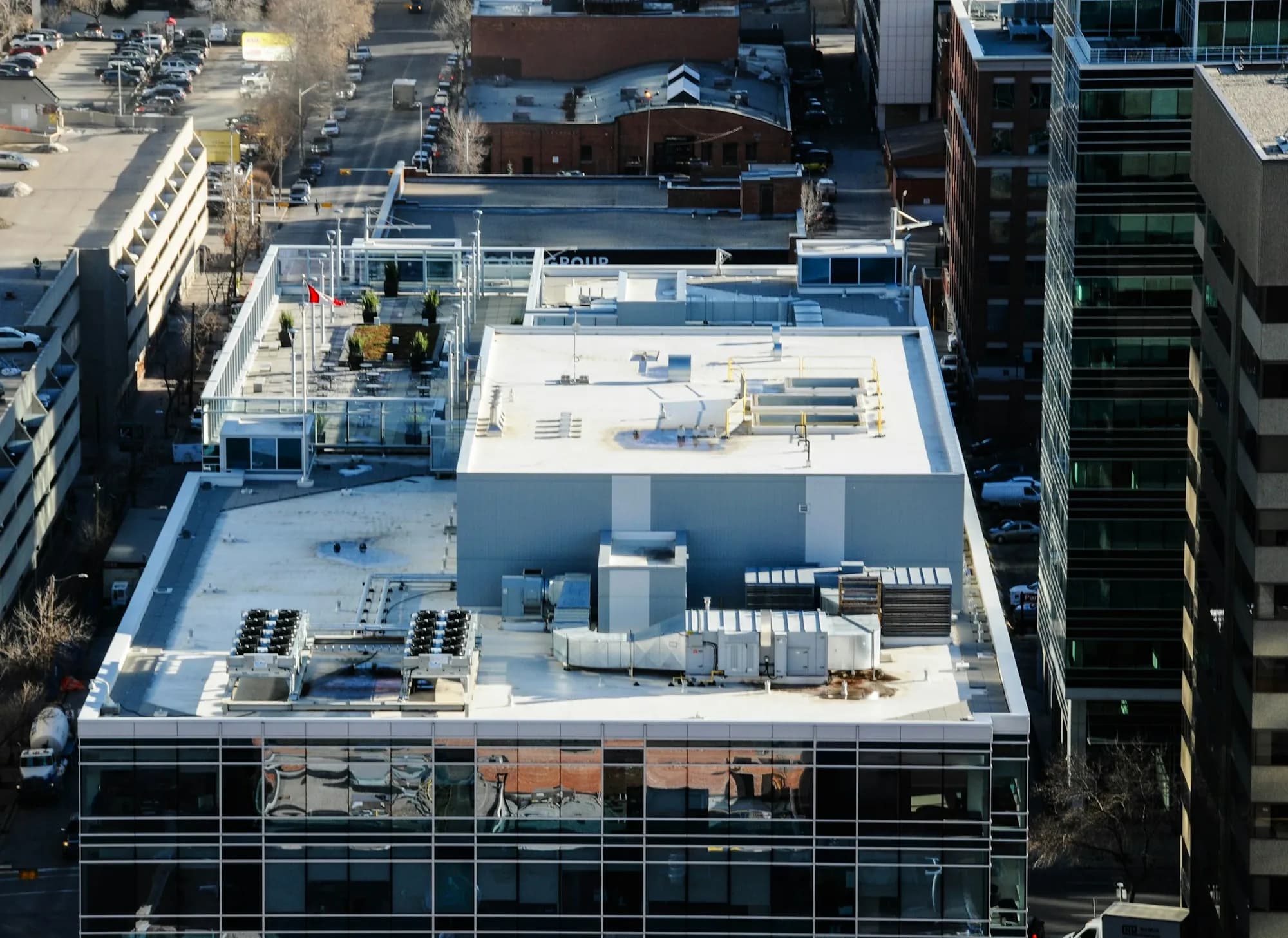
If your organisation maintains its own buildings, FM360AI gives the facilities team a single place where requests arrive, work is assigned and timed, planned maintenance is scheduled and the results are reported.

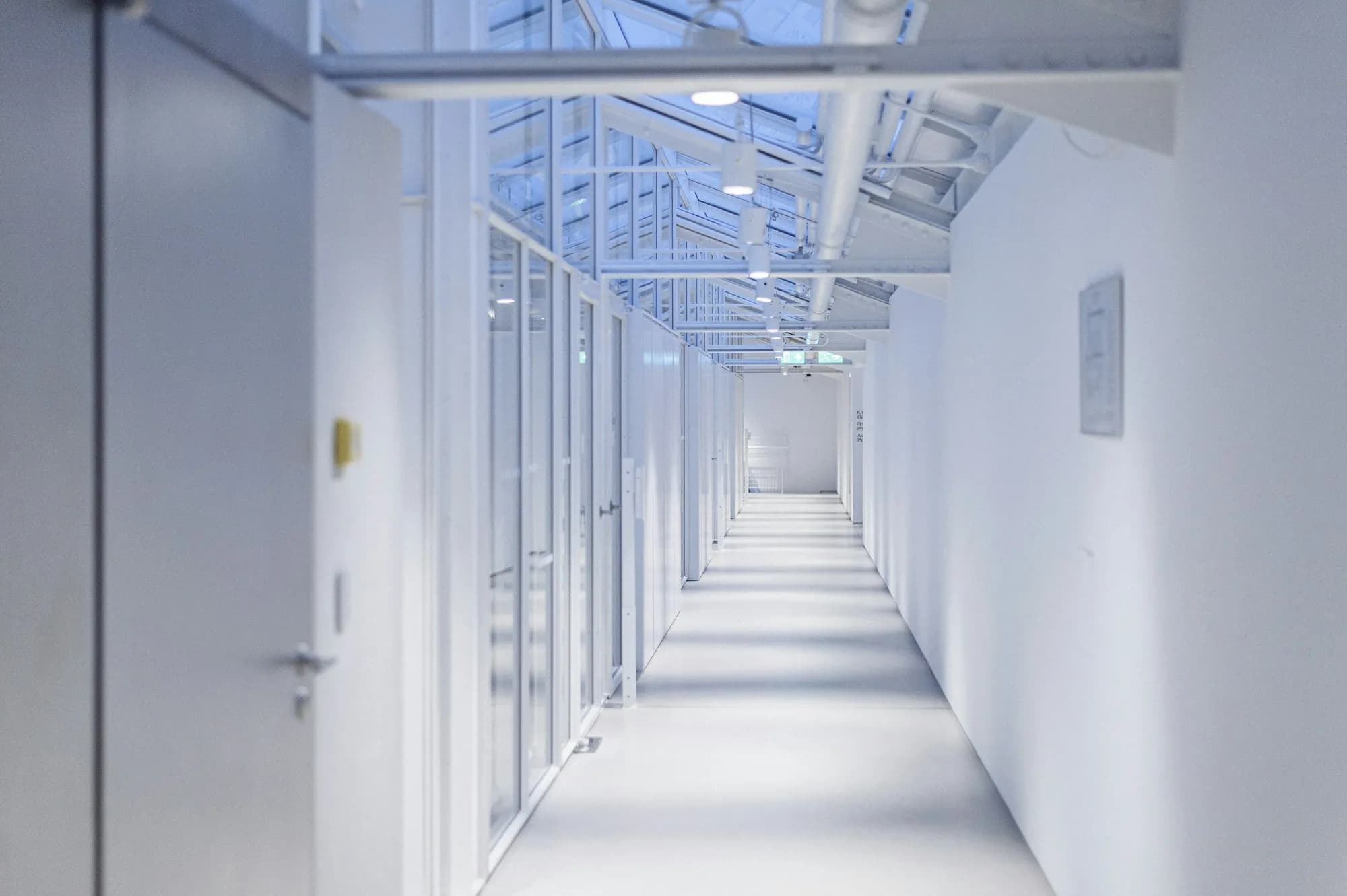
A long white corridor under a glass roof, with doors along both sides
FM-10512In progressAC not cooling, Room 204Assigned to the Maintenance team
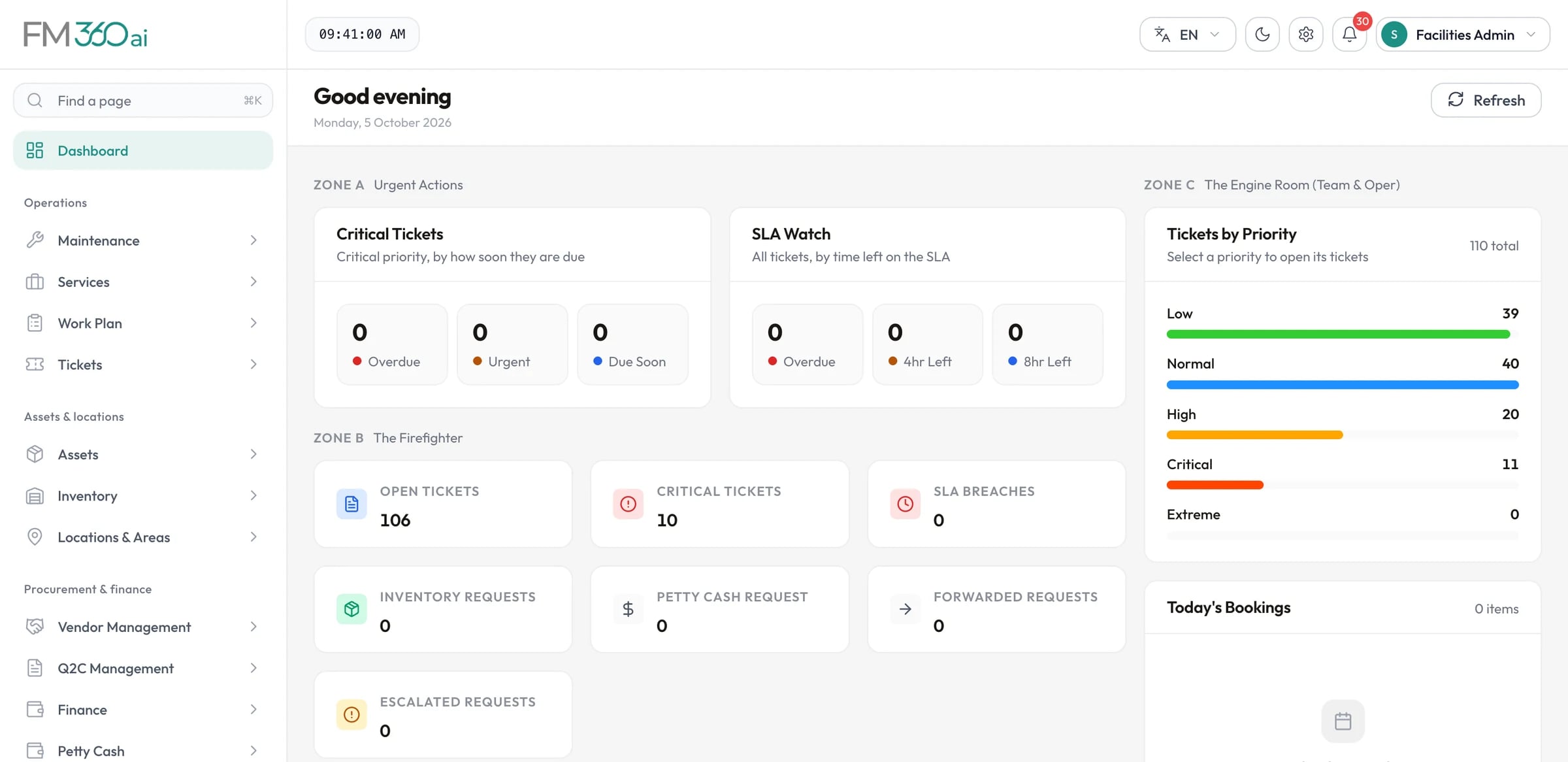
FM360AI dashboard showing critical tickets, an SLA watch, open ticket and request counts, and tickets by priority

Swipe the screenshot to see all of it.

Screens are from an FM360AI demo environment. Names and contact details have been replaced.

The situation

What makes this hard

  • Requests arrive on every channel

    Phone calls, messages, emails and conversations in the corridor, with no single list.

  • Planned work loses to urgent work

    Preventive maintenance slips whenever the day gets busy, and nobody sees it slipping.

  • Performance is hard to show

    The team works hard but cannot evidence response times or workload.

  • Knowledge lives in people

    What was done to a piece of equipment last year depends on who remembers.

How FM360AI helps

The parts of the product that matter here

One queue for every request

Messages, emails, app reports and tickets created by supervisors all land in the same list, each with its source, category, priority and SLA.

  • AI classification of incoming messages
  • A review queue for unrecognised senders
  • Counts of open, unassigned and reopened tickets at a glance
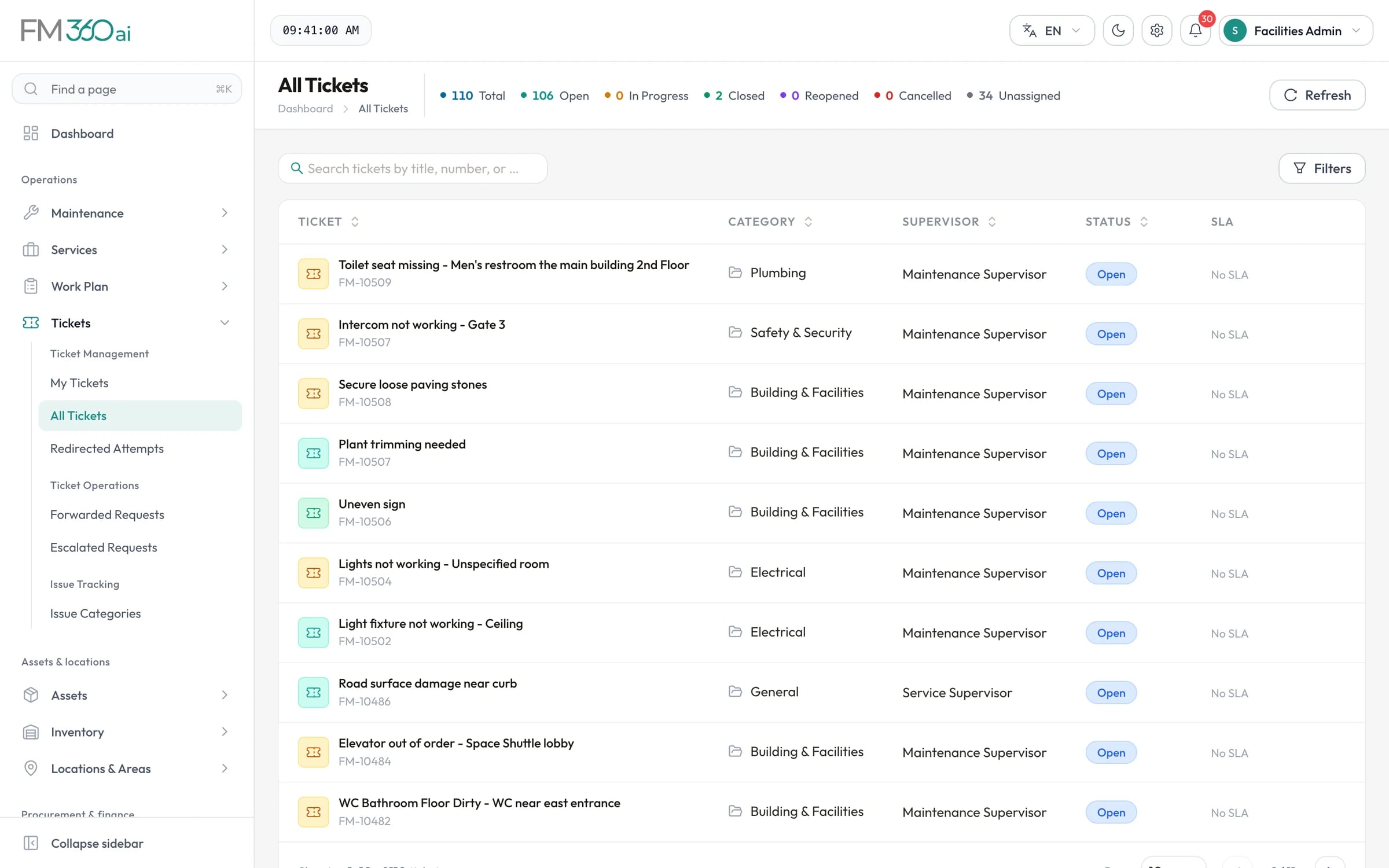
AI request intake
All Tickets list with ticket titles and numbers, category, supervisor, status and SLA columns, and counts of open, closed and unassigned tickets

Swipe the screenshot to see all of it.
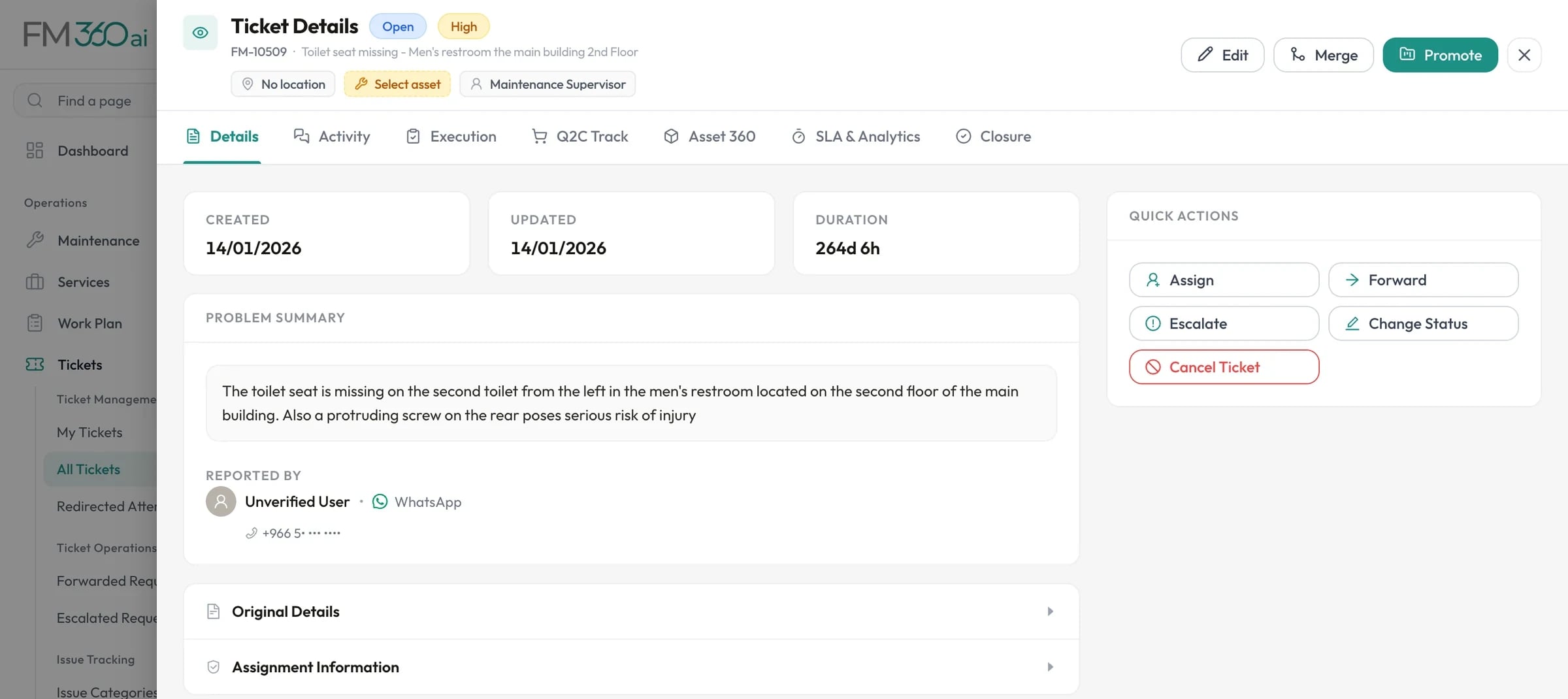
Assignment and deadlines that are visible

Every ticket has an owner and a response and completion target. The dashboard opens on what is overdue or about to be.

  • Assign to technicians or teams
  • Forward and escalate with approval
  • SLA countdown on each ticket
Tickets and SLAs
Ticket details for a request reported by WhatsApp, with the problem summary, reporter, and quick actions to assign, forward, escalate or change status

Swipe the screenshot to see all of it.
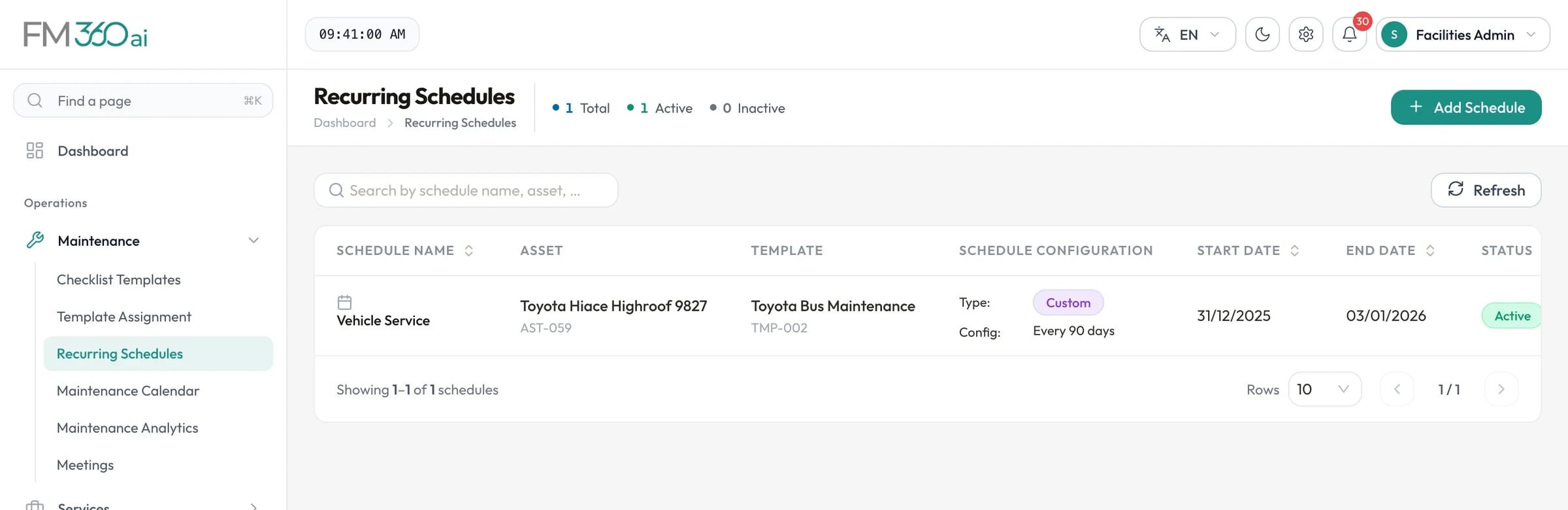
Planned maintenance that runs itself

Recurring schedules raise tickets with checklists attached, and analytics show what is active, overdue and upcoming.

  • Daily to quarterly and custom intervals
  • Checklist templates per procedure
  • A calendar of the month ahead
Preventive maintenance
Recurring schedules list showing a vehicle service schedule that repeats every 90 days

Swipe the screenshot to see all of it.
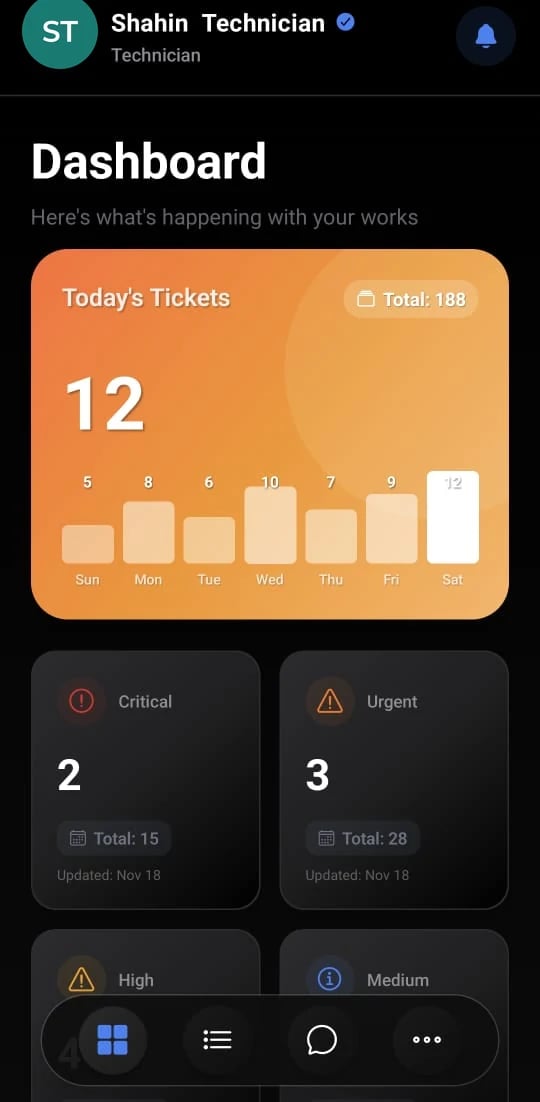
Technicians who record as they work

The technician app requires a before photo to start and an after photo and completed checklist to finish, so the record is made on site.

  • Jobs listed by priority and date
  • Requests for parts and petty cash from the ticket
  • Push notifications for new assignments
Mobile apps
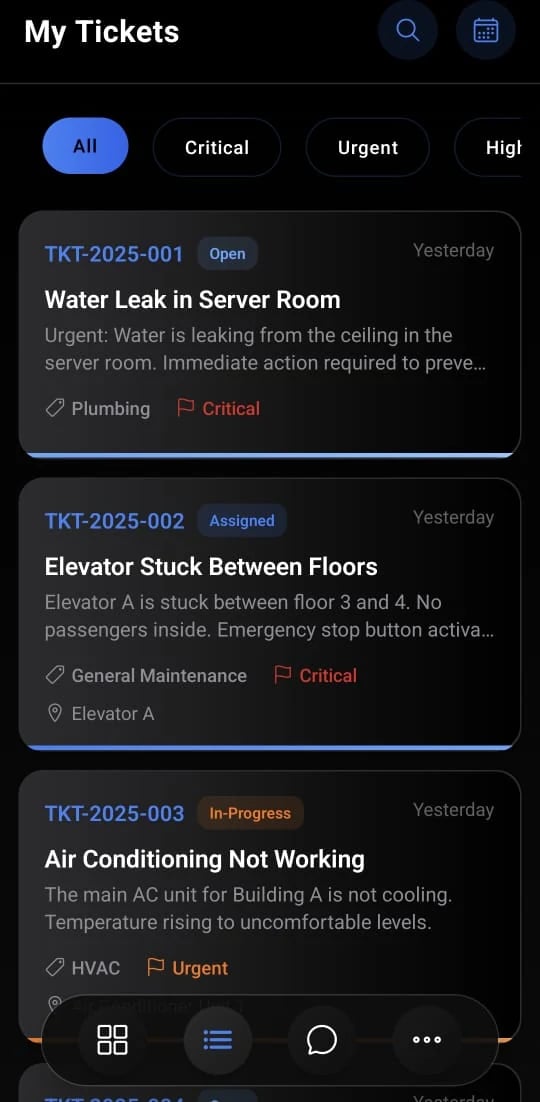
Technician app dashboard with today's tickets and counts by critical, urgent, high and medium priority
Technician app ticket list filtered by priority, showing a water leak, a stuck elevator and an air conditioning fault

In practice

A working day in FM360AI

An example of the system in use across a facilities team.

  1. 08:00

    The manager opens the dashboard

    Two critical tickets are due soon. She opens the list behind the number and checks who has them.

  2. 08:30

    Overnight messages become tickets

    Routine reports held since yesterday evening are processed at the start of working hours and appear classified in the queue.

  3. 10:15

    A job needs a part

    A technician requests a replacement valve from stock in the app; the supervisor approves it against the stock level.

  4. 12:00

    A ticket is forwarded

    An electrical fault raised as general maintenance is forwarded to the electrical supervisor, who accepts it.

  5. 15:30

    Work is reviewed

    The supervisor compares before and after photos and checklist answers, then closes the morning's tickets.

  6. 16:45

    The week is checked

    SLA compliance and team workload reports are exported for the weekly meeting.

Is FM360AI a fit?

Where it suits well, and what it does not cover today.

A good fit for

  • An organisation maintaining its own buildings with its own technicians
  • One site or several, modelled as a tree of areas
  • Teams with maintenance, service and HSE supervisors
  • Teams that want reporting without a separate analytics project

Not covered today

  • Facilities service providers managing many client organisations in one account: each organisation has its own deployment
  • Usage-based maintenance from meters or sensors
  • Single sign-on with a corporate identity provider

Common questions

Can it handle several sites?

Yes. Locations are a hierarchy of areas of any depth, so sites, buildings, floors and rooms can all be represented, and SLAs, tickets and assets are tied to them.

How do roles and permissions work?

You create your own roles and choose, module by module and action by action, what each can see and do. Each mobile app is restricted to the roles it is meant for.

Do we need to change how staff report problems?

Not much. They can keep sending messages and emails; the difference is that those now go to a number and a mailbox connected to FM360AI, where they become tickets.

Can we start with tickets and add other modules later?

Yes. Tickets, maintenance, assets, inventory, procurement and finance are separate areas, and what each role sees is controlled by permissions and settings.

See FM360AI with your own buildings in mind

Tell us how requests reach your team today and what you maintain. We will walk you through the product on a call, using the workflows that matter to you.

  • A walkthrough of the real product, not slides
  • Time for your questions about fit and limits
  • No obligation to continue