
Security
How FM360AI handles access and data, stated plainly
This page describes what the product does today. It lists what is in place, what you control, and what is not offered yet, so that your security review starts from facts.
What is in place
Sign-in and sessions
- Users sign in with an email address or employee code and a password.
- Passwords are stored as salted hashes, not in readable form.
- Sessions use an access token and a separate refresh token. Signing out invalidates the refresh token.
- Password reset uses a single emailed link that expires after 15 minutes. Completing a reset ends existing sessions.
- Mobile sessions can be ended remotely, for example when a password is changed.
Roles and permissions
- You create your own roles; there is no fixed list.
- For each role you choose, per module and per action, what its users can see and do.
- Navigation, screens and actions in the console follow those permissions.
- Each mobile app accepts sign-in only from the roles it is intended for.
- Dashboards and ticket lists are scoped by role and by section.
Deployment
- FM360AI is deployed separately for each organisation, with its own application and database.
- Your data is not held in a database shared with other customers.
- Uploaded files such as photos and documents are stored in Amazon S3 object storage.
- The mobile apps are built to connect only to your deployment.
Record of activity
- Each ticket has an activity timeline covering creation, updates, assignment, status changes, cancellation and closure, with previous and new values.
- Approval workflows record who approved, rejected or returned each document, and when.
- Access requests, bookings and workflow changes are logged in the same way.
- Before and after photos and checklist responses are kept with the ticket.
Controls on who can report
- Open mode accepts requests from anyone who messages your number or mailbox.
- Strict mode accepts requests only from recognised employees and approved email domains.
- Messages from anyone else are held in a review queue for a supervisor.
Links for vendors and approvers
- Vendors and email approvers act through links that carry a token rather than through accounts.
- Vendor invitation and submission links expire.
- Vendor registration is reviewed and approved before a vendor is qualified.
In the product
Roles are yours to define
The roles screen from a demo deployment: discipline supervisors, heads, technicians and cleaning staff, each with its own permissions.
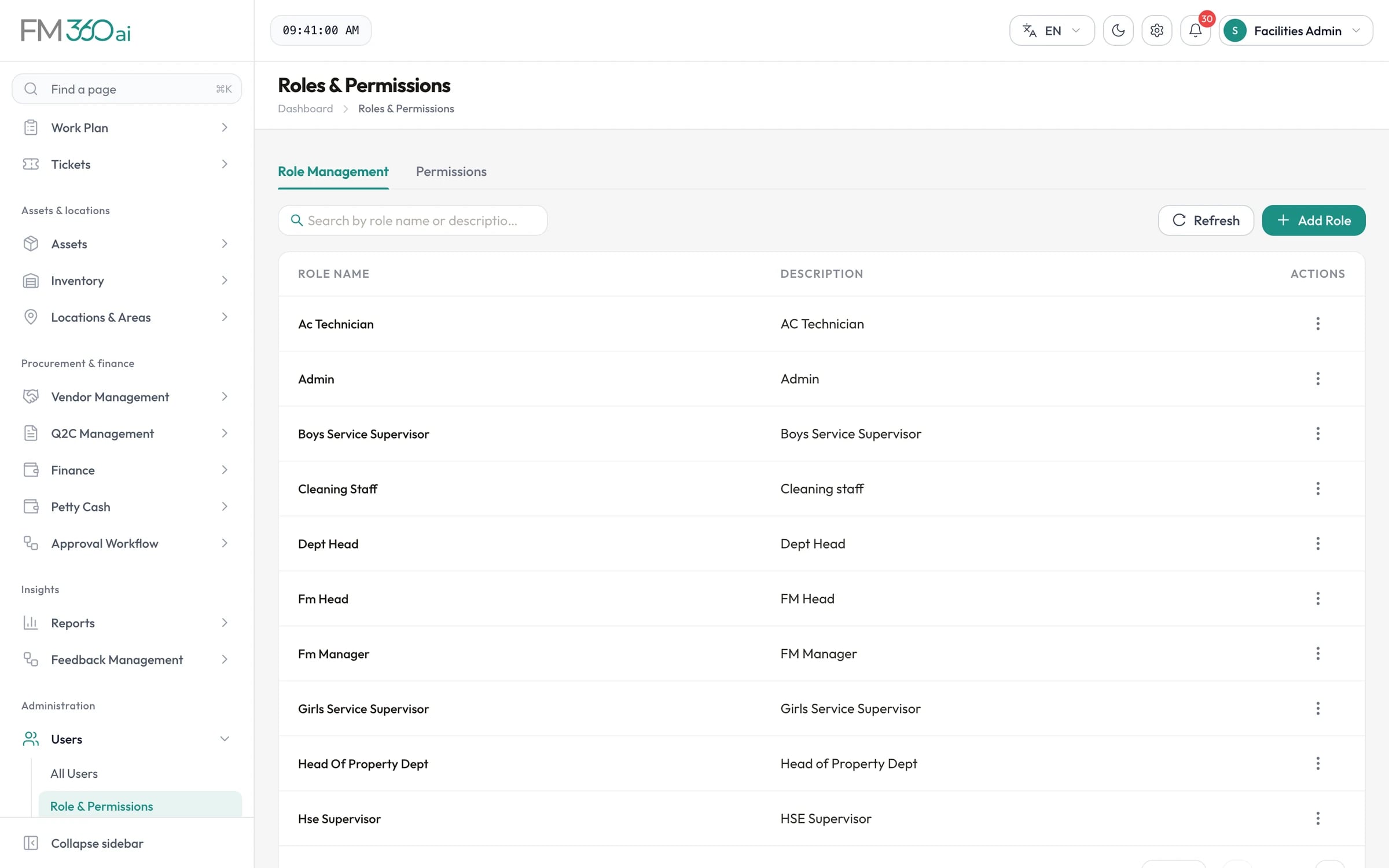
Swipe the screenshot to see all of it.
How AI processing handles your data
When FM360AI reads a request or a document, the content is sent to a third-party language model for processing. By default this is Google Gemini; OpenAI is supported as an alternative. This applies to message text, photos, voice notes and video sent as requests, and to quotations, invoices and receipts you choose to analyse.
- AI features are used at intake and in procurement and petty cash; the rest of the product does not call a model.
- The original message and media remain attached to the ticket in your deployment.
- Results are suggestions that your staff can correct; no approval or closure is made by the model.
- Ask us which provider and which data-use terms will apply to your deployment.
Not offered today
If any of these is a requirement for you, tell us at the start.
- Single sign-on with a corporate identity provider (SAML or OpenID Connect)
- Multi-factor authentication
- Independent security certifications or audit reports such as ISO 27001 or SOC 2
- Customer-managed encryption keys
Questions worth asking us
Some answers depend on how and where your deployment is set up. We will give you specifics for your case.
- Where will our deployment and its files be hosted?
- How are backups taken and how long are they kept?
- How is network access to the application and database restricted?
- Which AI provider will process our messages and documents, and under what terms?
- Who at the vendor can access our deployment, and how is that controlled?
Security questions
Is our data kept separate from other customers?
Yes. FM360AI is deployed per organisation, with a separate application and database for each customer, rather than as a shared multi-tenant database.
Do you support single sign-on?
Not today. Users sign in with an email address or employee code and a password.
Does FM360AI hold ISO 27001 or SOC 2 certification?
No. FM360AI does not hold independent security certifications at present.
Is our data used to train AI models?
FM360AI itself does not train models. Requests and documents you process with AI features are sent to a third-party model provider, and that provider's terms govern how the content is handled. Ask us which provider and terms apply to your deployment.
Can we restrict who is allowed to raise tickets by WhatsApp or email?
Yes. In strict mode only senders matched to your employee directory or to approved email domains create tickets. Other messages are held in a review queue.

Bring your security questions to the demo
We will walk through sign-in, roles, deployment and AI data handling for your case, and tell you where the product does not meet a requirement.
- A walkthrough of the real product, not slides
- Time for your questions about fit and limits
- No obligation to continue